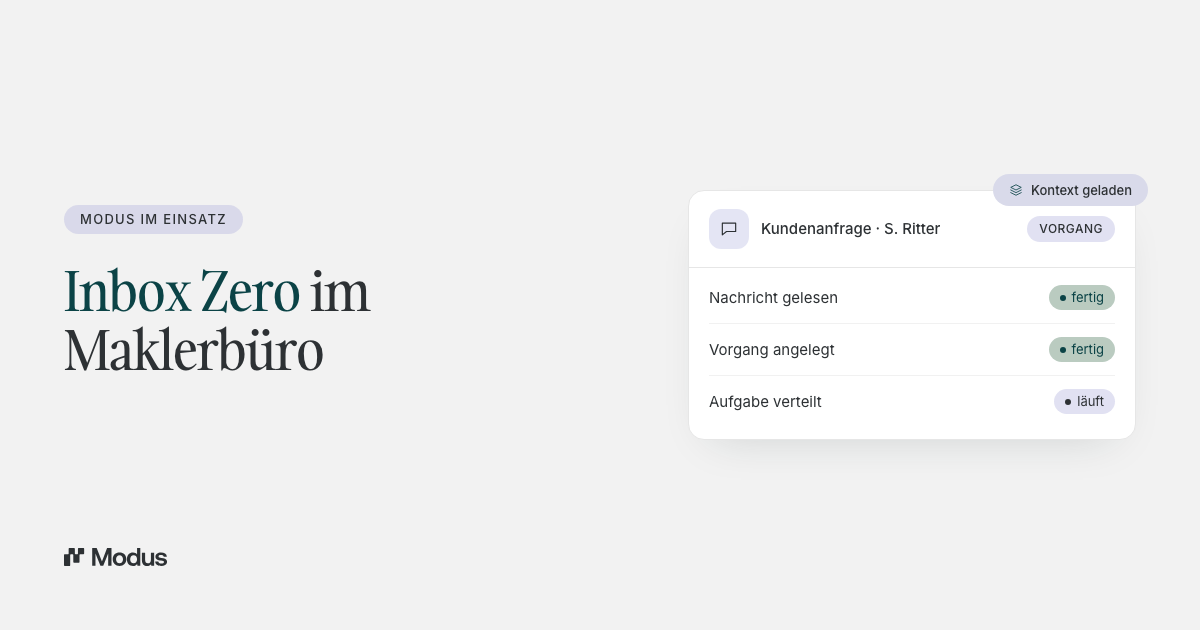
Inbox zero in the brokerage: how to touch every request exactly once
Inbox zero doesn't mean your inbox is empty. It means every message is touched exactly once and then sits in exactly one of four states. Why this fails without context, and what an inbox looks like that you work through once instead of three times.
By Daniel D.
Modus
Last updated: Aug 13, 2026
News & InsightsIt's Thursday morning, 8:40 a.m. There are 34 unread messages in the inbox. You open the first one, skim it, think "I'll deal with this later, once I have the paperwork," and mark it as unread again. At 2 p.m. you open the same message a second time. The next morning, a third time.
That's the real cost centre in a brokerage. Not the volume of requests, but the number of times the same request gets touched before anything happens to it. This article explains what inbox zero really means for insurance brokers, why an empty inbox is the wrong goal, and what an inbox looks like in which every message is touched exactly once.
In short: inbox zero doesn't mean your inbox is empty. It means every message is touched exactly once and then sits in exactly one of four states: done, waiting for the client's reply, moved into a case, or logged as a task. That makes the inbox no longer a filing cabinet but the intake point for new work. What makes the difference is not discipline, but having enough context at first touch to decide right away.
Why the classic inbox never empties
Everyone knows the advice to check email only twice a day. In a brokerage it fails reliably, and that's not down to a lack of discipline.
The first glance isn't enough to decide. A client writes: "Can you quickly tell me whether that's covered?" To answer, you need the policy, the history and where the last conversation left off. None of that is in the email. So you set it aside until you have time to gather the context. That's exactly the moment the pile is created.
There's no state between unread and done. An inbox knows two states; the working day knows five. What about a request where the insurer's reply is still pending? What about one made up of three sub-steps, two of which are done? The inbox can't represent that, so it gets improvised with flags, folders, follow-up reminders and sticky notes. Each of these aids is a separate place you later have to check.
Ownership is invisible. In a team of several people, the most common question isn't "what needs doing" but "is someone already on it?" Without visible ownership, you get either duplicated effort or nothing at all.
And then there are the interruptions. Studies on knowledge work describe how the working day is interrupted on average after eleven minutes, and how it takes a noticeable while afterwards to get back into the task. In a business where requests arrive by email, WhatsApp and phone all at once, that's not a footnote but the normal state of affairs.
The result is an inbox used as a to-do list, an archive, a follow-up reminder and a filing cabinet all at once. No tool does four things well.
The surprising number: email isn't the problem
We run a brokerage ourselves, with around 2,000 clients and a small team. Some time ago we spent six months measuring which type of task ties up how many hours per month, because we wanted to know where the time actually goes.
The result disproved our own assumption. Pure email handling, the thing that feels loudest day to day, came in at around eight percent of operational time. The two most expensive blocks were something else entirely: quote creation, and the preparation and follow-up around appointments. Together they tied up more than half.
The lesson isn't that the inbox doesn't matter. It's more precise: the inbox isn't the place where time is spent. It's the place where it's decided how much time gets spent later. A message that's read three times and then passed on unsorted creates follow-on work elsewhere: queries within the team, searches in the management system, reconstructing the context. The full breakdown with all eight task types is in What we learned about inbox stress from 2,000 SureIn clients.
That's why working on the inbox pays off disproportionately. Not because of the eight percent, but because of what they set in motion.
If you want to check this for your own business, you don't need software for it. Take a week and note two things for every incoming request: the task type, and how often you touched it before anything happened. The second number is the more interesting one. In most offices it sits between two and three, and it's the lever this article is about. A value of 1.0 is the goal, not an empty screen at the end of the day.
The four states after first touch
The practical core of inbox zero is a single rule: every message is touched exactly once, and afterwards it sits in exactly one of four states.
1. Done. The request is answered, the case is closed. Nothing is left open, nothing needs to be remembered.
2. Waiting for the client's reply. You've answered; now the ball is in the client's court. What matters is that this state is visible and carries a follow-up date. Otherwise "waiting" becomes "forgotten" after two weeks.
3. Moved into a case. The request is bigger than a single reply. It becomes a case, meaning the client's concern as a whole, with an owner and a priority.
4. Logged as a task. It's a concrete next step with a due date. Tasks thereby replace follow-up reminders, sticky notes and note apps, because they hang off the case rather than living in a second system.
The difference between a case and a task deserves a second of attention, because in practice it often gets blurred: the case answers "what is this about?", the task answers "what needs doing next, and by when?" A claim is a case. "Request expert report by Friday" is a task within it.
What these four states achieve: they turn the inbox back into what it's meant to be. An intake point for new work, not a filing cabinet and not an archive.
Why this doesn't work without context
These four states are quick to write down. In practice they fail at a single point: at first touch, the context needed to decide is missing.
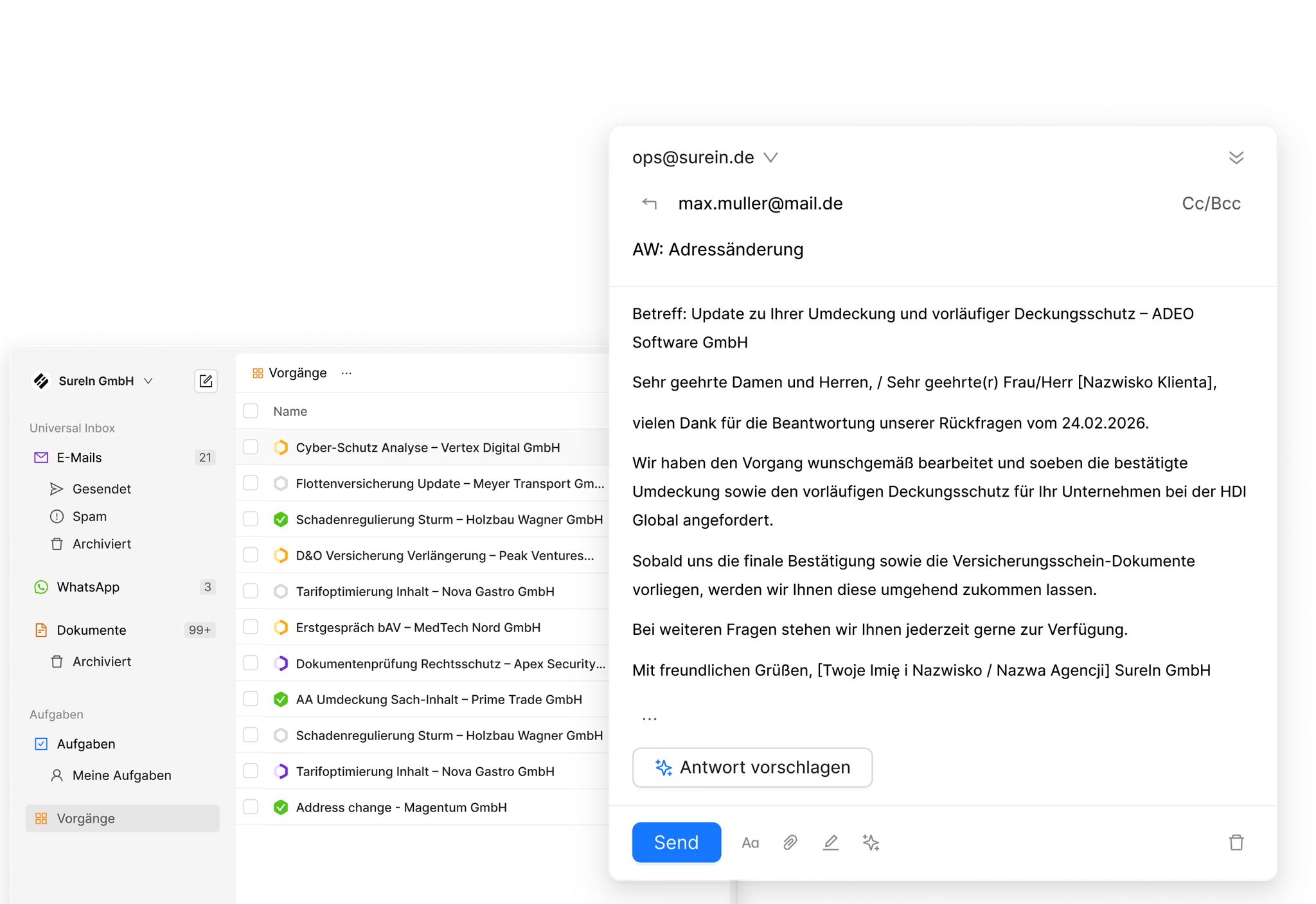
This is exactly where an operational layer on top of the management system comes in. When a message arrives, the work that would otherwise require a second and third look already happens in the background:
- The task type is recognised, for example an address change, premium adjustment, cancellation or claim report. Around twenty recurring service-process types are covered this way; in live demos the classification runs at 99.8 percent accuracy.
- The client and the affected policies are assigned and attached.
- Related cases are detected and linked, so a message that belongs to an ongoing case lands there rather than as a new, context-free entry.
- A summary shows what it's about, without anyone having to read the thread from the bottom up.
- A reply is ready as a draft, written from the request and the client context. The broker reviews it, adjusts it and signs off. Nothing is sent without approval.
That changes the question at first touch. Before, it was: "Do I have time right now to gather all this?" Afterwards, it's: "Is this correct, and do I sign off on it?" That's the reason the message isn't opened a second time.
An example, played through
Take the message from the start: "Can you quickly tell me whether that's covered?"
Classically, you open the email, realise you don't know which of the four policies is meant, and set it aside. Later you look up the client in the management system, see four policies, read back through the history to find out what the last contact was about, discover that a colleague already wrote something about it three weeks ago, check with her, and finally reply. Four interruptions, three systems, two people.
Structured, you open the request and see: task type policy enquiry, client assigned, the four policies attached, the case from three weeks ago linked, the summary stating the context in two sentences, a draft reply ready. You check the substance, correct one phrasing, sign off. The request is done, state one.
The difference isn't typing speed. It's that the decision was possible the first time you opened it.
What happens in a team
As long as one person works alone, a lot can be handled through memory and habit. From the second person on, that no longer holds, and that's exactly where it's decided whether the system carries.
The core is a shared workspace in which every task has an owner, a status, a priority and a due date. Queries run as a comment on the case, not as an email chain, not via WhatsApp and not via Teams. That sounds like a minor detail, but it's the point where most businesses lose information: an agreement reached in a private chat doesn't exist for the case.
The rule of thumb for this is simple: if a piece of information might matter later, it belongs in the case. Not in someone's head.
What measurably goes down as a result are the queries. Not because fewer questions are asked, but because the answer is already visible before anyone asks.
The three reasons it doesn't work after all
We've guided this transition in our own business and at design partners. When it fails, it's almost always for one of these three reasons.
The old way stays open in parallel. As long as requests keep being answered directly in the email client, you get two versions of the truth. The case shows one status, the inbox another, and no one knows anymore which one counts. Media breaks are by far the most common reason for failure, and they never arise from bad intent, only from haste.
It gets half-processed. Touching a request without moving it into a state is exactly the step the method forbids. Anyone who realises they still need something for a decision logs a task. That's state four and takes ten seconds.
The rollout is too broad. Switching over all channels, all task types and the whole team at once creates so much change all at once that no one can tell whether it's getting better. One channel, one task type, one week.
How prioritisation emerges on its own
In a brokerage, prioritisation is rarely a ranking problem. It's a visibility problem. Anyone who doesn't know what's open can't prioritise, no matter which method they use.
As soon as every request sits in one of the four states, the overview emerges as a by-product: all open cases in one place, with owner, due date and status. The question "what matters today" answers itself from that, without anyone maintaining a list.
Two things fall away in the process that previously created quiet overhead. First, the status round in the team, because the status is visible anyway. Second, the fear of missing something, which drives many people to go through the inbox several times a day without getting anything done.
The effect adds up over the day, not on the individual request. In our own business, even in the early phase, one to two hours per employee per day are freed up this way, time that previously went into sorting, searching and picking things back up. What a working day like that concretely looks like, we've written up in A day in the inbox of our own brokerage.
The workflow in five steps
Here's what the way of working looks like day to day, once it's bedded in:
1. Start the working day in the inbox, not in the email client. That's the one habit everything else hangs on.
2. Read the summary instead of the whole thread.
3. Check the context: client, policies, related cases are already attached.
4. Reply with the prepared draft, adjust where needed, sign off.
5. Close the case or move it into one of the other three states.
The point is step 5. Half-processing a request and leaving it in the inbox is the one step that breaks the whole system. Anyone who touches a message moves it into a state.
Before and after
| Classic inbox | Structured intake | |
|---|---|---|
| States | read / unread | done / waiting / case / task |
| Context when opening | has to be pieced together | attached |
| Ownership | in your head or shouted across the room | visible on the case |
| Follow-up | flag, sticky note, notes app | task with a due date |
| Overview of what's open | none you can rely on | all open cases in one place |
| How often it's touched | two to three times | once |
Frequently asked questions
What does inbox zero mean for insurance brokers?
Not that your inbox is empty. It means every message is touched exactly once and then sits in exactly one of four states: done, waiting for the client's reply, moved into a case, or logged as a task. That makes the inbox an intake point for new work, not a filing cabinet.
How do I keep track of open cases?
Through an overview of all open cases with owner, due date and status. It emerges automatically as soon as every request is moved into a state, and it replaces follow-up reminders, flags and the parallel list in your note app.
How do I stop losing client requests?
By making the "waiting for the client's reply" state a visible state with a date, not a silent one. Most lost requests weren't overlooked; they vanished into an invisible waiting state that no one tracked.
Do I need a new tool for this?
You don't need a replacement for your management system, and none for Outlook. What you need is a layer on top that brings all the channels together and actually represents the four states. Folder structures and rules in the email client can't do this, because they don't know the context from the portfolio system. Which architectures qualify for this is covered in the overview AI software for insurance brokers: what it does and what matters in 2026.
How long does the transition take in a team?
Realistically about four weeks. In the first week it's about simply starting the day in the inbox. In the second, about handling every request fully there. In the third the team joins in; in the fourth it becomes habit. The most common reason it doesn't stick isn't the software, but that the old way keeps being used in parallel.
Conclusion
In a brokerage, inbox zero is neither a tidying method nor a time-management trick. It's a statement about how often the same work is allowed to be touched.
The four states are quick to explain. But they only work if there's enough context at first touch to decide. That's exactly what Modus is built for as an operational layer on top of the management system: it brings email, WhatsApp, phone and documents together in one inbox, recognises the task type, loads the client and the policies alongside, and has a draft reply ready. You're the one who signs off. What's left afterwards is an inbox you work through once instead of three times.