Automating policy changes: how insurance brokers handle servicing tasks with AI
Address changes, new bank details, cancellations: policy-servicing tasks tie up hours in the brokerage every day. Here's how policy changes get prepared automatically, with the broker's sign-off, in 1 to 2 minutes instead of a quarter of an hour.
By Daniel D.
Modus
Last updated: Aug 3, 2026
News & InsightsA client sends a short message: she's moved, here's the new address. Two lines that sound like two minutes of work. In the brokerage, that message sets off a chain. Find the client in the management system, check which policies are affected, change the address in every policy, notify the insurers, write the client a confirmation, document the case. Two lines turn into 10 to 25 minutes. And the next message is already waiting.
Servicing tasks like address changes, new bank details or premium adjustments are unremarkable on their own. Together they tie up a large share of the time that should really go into advice and sales. This article shows how insurance brokers automate policy changes, what concretely changes, and where the broker still decides.
In short: servicing tasks like address changes can be prepared automatically. The software recognises the request, assigns it to the right client, loads the affected policies and prepares the reply as a draft. The broker reviews and signs off. What used to be 10 to 25 minutes of manual work per case becomes 1 to 2 minutes of focused review.
Why servicing tasks cost so much time
Policy changes are the daily bread of portfolio work. Address change, new payment details, premium adjustment, cancellation, annual report. None of these is difficult on its own. They become expensive for three reasons.
Requests come in through every channel. One client writes an email, the next sends a WhatsApp, the third calls and mentions the move in passing. On top of that come documents from the insurer. Before anything can be processed, someone has to read the message, understand what it's about, and decide who takes care of it.
Context has to be rebuilt every time. Which client does the message belong to, which policies are affected, was there already a case about it. This information sits in the management system, in the inbox, and sometimes only in a colleague's head. Searching for it often costs more time than the change itself.
None of it creates value, all of it is mandatory. An address change brings in no revenue. It still has to be done cleanly, in every affected policy, with notice to the insurers and traceable documentation. If it's left undone, you get bounce-backs, complaints and, in the worst case, liability questions.
With every new client this base layer of admin work grows linearly. That's exactly why the portfolio is not only an asset but also a capacity problem for many offices: brokers rarely have too little demand. They have too little free time to serve it.
How do I automate policy changes as an insurance broker?
With servicing tasks, automation does not mean a machine changing data and sending messages unchecked. It means the preparatory steps are taken off the broker's plate, and the broker steps in where their review counts. It looks like this, in five steps.
1. The request arrives, no matter the channel. Email, WhatsApp, phone note or insurer document all come together in one inbox. Nothing sits in three systems at once, nothing gets lost between channels.
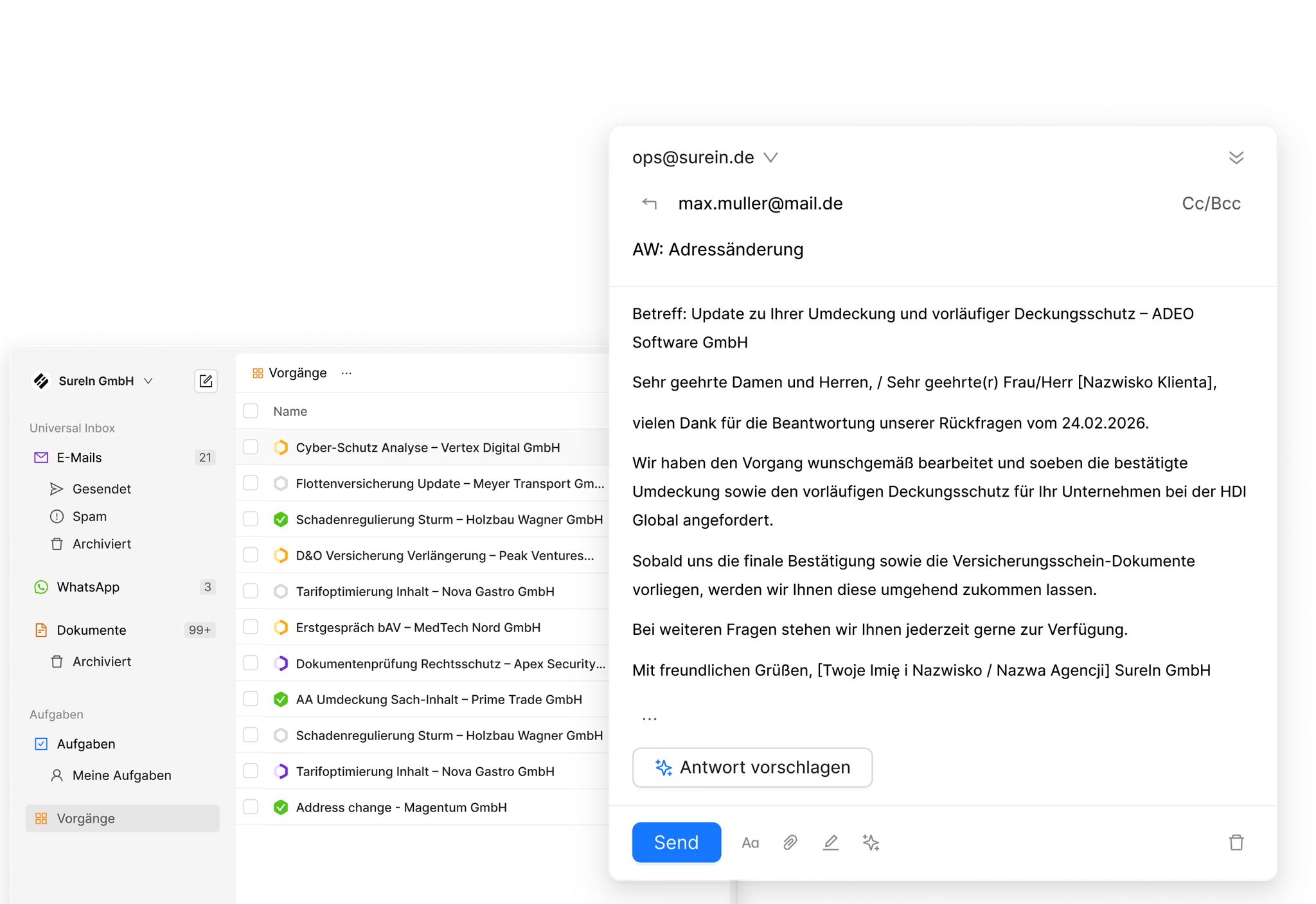
2. The task type and the client are recognised. The software classifies the request, for example as an address change or a change of payment details, and assigns it to the right client. In live demos this classification by process type runs at 99.8 percent accuracy. Related cases are detected and linked instead of running side by side as duplicates.
3. The context is loaded. The affected policies, the client history and open cases are right there. An AI summary shows what it's about, without anyone having to read the thread from the bottom up.
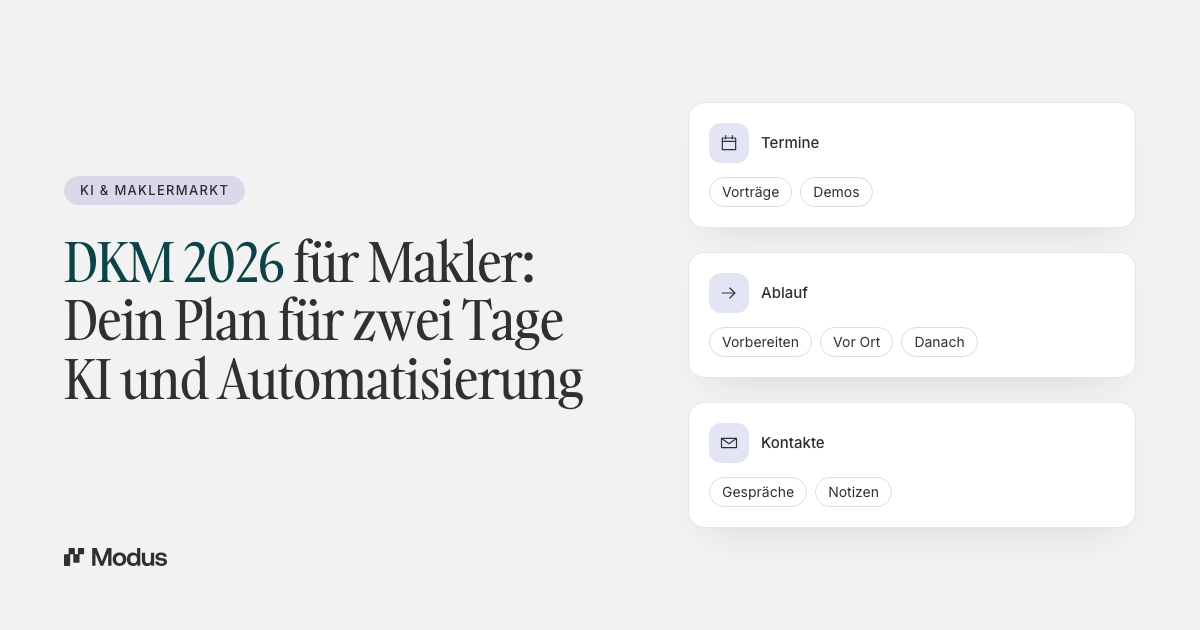
4. The case, tasks and draft reply are created automatically. The message becomes a structured case with an owner and priority. The necessary steps are ready as tasks with due dates, replacing follow-up reminders, sticky notes and note apps. The reply to the client is ready as a draft, written from the request and the client context.
5. The broker reviews and signs off. They check the change, adjust the draft if needed, and send directly from the case. The AI never sends messages automatically. Nothing goes out without sign-off. Every step lands on a timeline, and the case stays traceable down to the detail.
The result is the difference that feels most tangible day to day: an address change that classically costs 10 to 25 minutes is done in 1 to 2 minutes. Not because someone types faster, but because searching, assigning and drafting have already happened by the time the case is opened.
One case, before and after
Responsibility stays entirely with the broker. What changes is the role: from doing the work to reviewing and approving it. That shift is the real lever. It moves scarce time from routine to judgment, and it adds up. In practice, even in the early phase, one to two hours per employee per day are freed up that were previously tied up in admin work.
| Step | Traditional | With an operational AI layer |
|---|---|---|
| Capture the request | read and sort each channel individually | all channels in one inbox |
| Find the client and policies | search the BMS, reconstruct the history | automatically matched and loaded |
| Understand the request | read the thread from bottom to top | a summary is attached |
| Plan the steps | follow-up reminder, sticky note, quick word | tasks with due dates on the case |
| Write the reply | compose from scratch | a prepared draft |
| Review and approval | Broker | Broker |
| Documentation | track manually | automatically on the timeline |
Which servicing tasks are best to start with
The fastest entry point is tasks that occur often and follow a clear pattern. These include around 20 recurring service-process types, among them:
- Address changes, the classic with the biggest mismatch between effort and value
- Changes to payment details, such as new bank details
- Premium adjustments, including the client communication that goes with them
- Cancellations, where deadlines and formal requirements have to be met cleanly
- Annual reports and recurring standard policy enquiries
Complex cases, such as a policy conversion that needs advice, also benefit from the preparation. The classification, the context and the first draft are ready; the technical work stays advisory work. For how the same approach works in new business, see "Automating quote creation: how insurance brokers handle quote requests with AI".
What matters in automation
Structure before automation. Automating unstructured inboxes and scattered data mostly just speeds up the chaos. The first step is therefore always structure at the point of intake: every message is assigned to a client, a case and an owner. For why this order is decisive, read "Why automation without structure is dangerous in insurance".
Sign-off as a principle, not an option. Portfolio data is sensitive, and a wrong change often only surfaces in the event of a claim. So the rule is: the AI prepares, the broker reviews and signs off. Nothing is sent without approval. That's not a technical limitation but the right division of labour.
Integration instead of switching systems. A good solution sits as a layer over the management system and Outlook and does not replace them. The management system stays the system of record, and the change is documented there traceably. That way there's no duplicate data entry and no break in the familiar workflow. For what else matters when choosing a suitable solution, see the overview "AI software for insurance brokers: what it does and what matters in 2026".
Traceability and data protection. Every automated step belongs on a timeline, so the case can be audited at any time, even years later. Client data belongs only in a solution with a data-processing agreement and processing in the EU. Since 2 August 2026 the EU AI Act's transparency obligation also applies in client-facing contact.
Frequently asked questions
Which servicing tasks can be automated?
Most of all, recurring service tasks with a clear pattern: address changes, changes to payment details, premium adjustments, cancellations and standard enquiries. In total, around 20 such service-process types can be prepared automatically. Complex changes that need advice benefit from the preparation but remain advisory work.
How long does an address change take with AI?
Classically an address change costs 10 to 25 minutes, spread across searching, changing, notifying and documenting. Prepared automatically, it's 1 to 2 minutes, because the assignment, context and draft reply are already there and the broker only reviews and signs off.
Does the AI replace the management system?
No. The operational layer sits above the management system and works with it, not against it. The management system stays the leading system of record. The AI layer structures the communication in front of it and keeps both sides in sync.
Does the AI send messages to clients automatically?
No. The AI prepares replies as drafts but never sends automatically. Every message only goes out once the broker has reviewed and approved it.
Is it worth it for small teams too?
Especially there. The smaller the team, the more every hour of admin work eats into advisory time. If even in the early phase one to two hours per employee per day are freed up, in a three-person office that's almost half a full-time role.
Conclusion
Policy changes are the most unremarkable part of broker work, and that's exactly why they're a good starting point for automation. They're frequent, they follow clear patterns, and they tie up time that's missing in sales and advice.
Automating the preparation and leaving the sign-off with the broker turns a 20-minute case into a matter of one to two minutes, without giving up control. That's exactly what Modus is built for as an AI-native operating system on top of the management system. It brings the channels together in one inbox, turns requests into structured cases with tasks and a draft reply, and keeps every step on a traceable timeline, from the first message to the confirmed change.